Plan your trip.
Find your people.
Keep your plans together and find travelers who share your idea of a good trip. Start planning a solo trip for free on desktop or tablet.

Solo travel doesn't have to feel this lonely or overwhelming.
Bring your travel plans together in one app. Then find someone for the food walk, the day trip, or the adventure you’ve been putting off whenever you want.
Where does your next trip begin?
A place to go, someone to meet, a plan to make. Start wherever you like.
Discover.
Find the café, viewpoint or little detour that makes the trip. Explore places shared by travelers, plus their journals and Moments in the app.
Take a look at Interesting Places on the web.
Explore places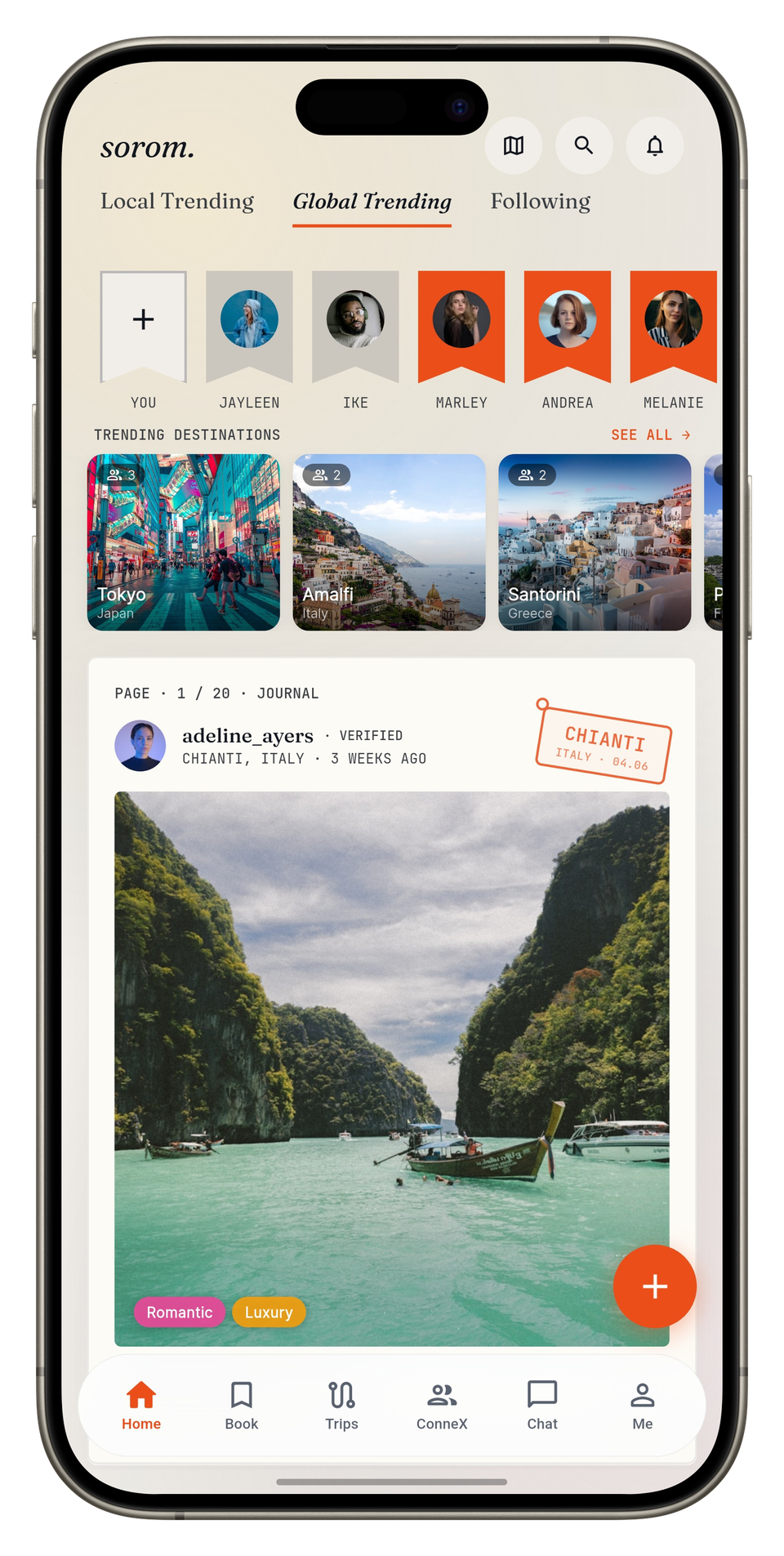
Sorom mobile app screens
Connect.
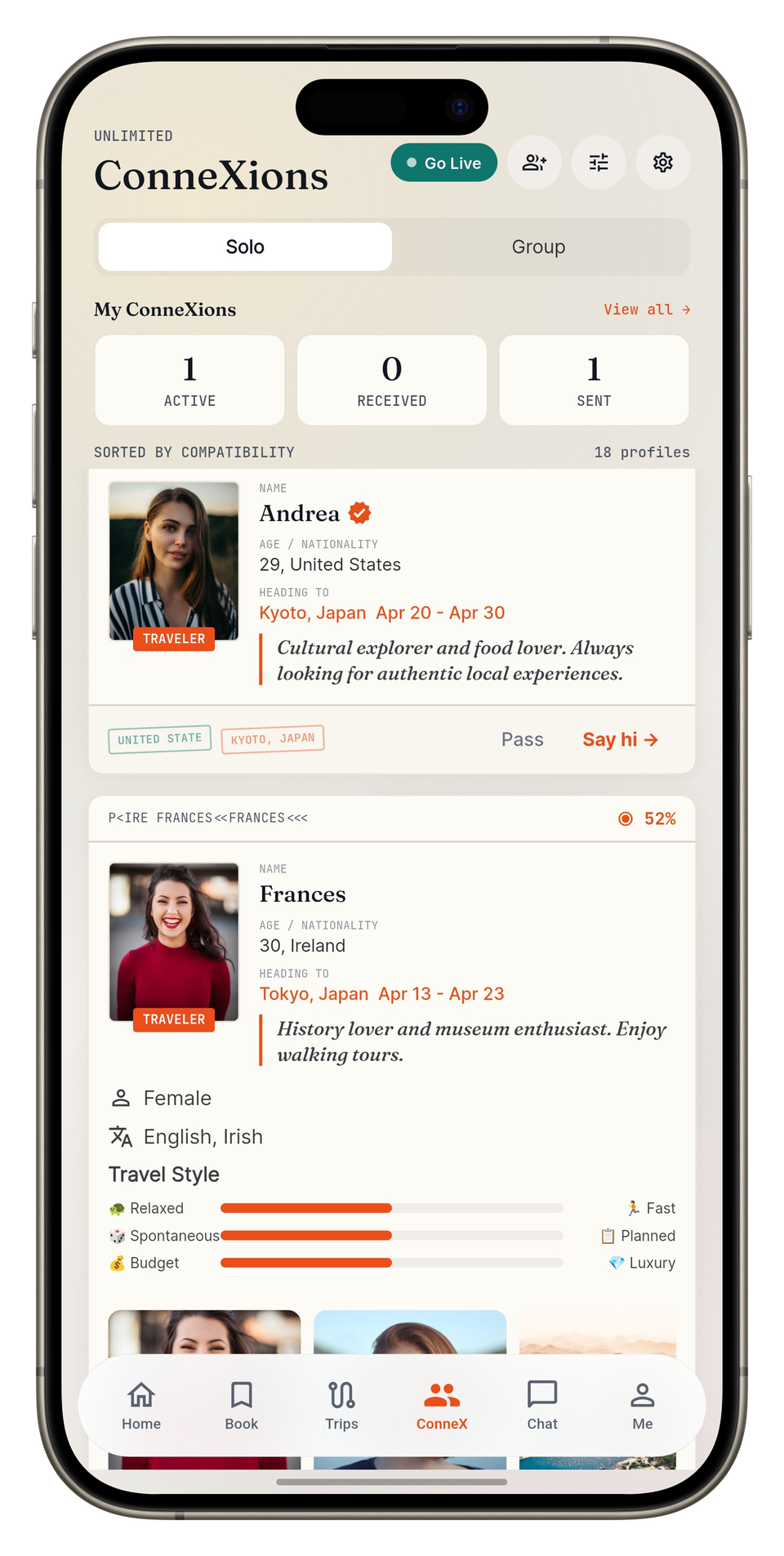
Early start or slow morning? Find travelers who share your interests, compare plans, and say hello in the app.
Preview travelers on the web. Match and chat in the app.
Preview ConneXionsSorom mobile app screens
Plan.
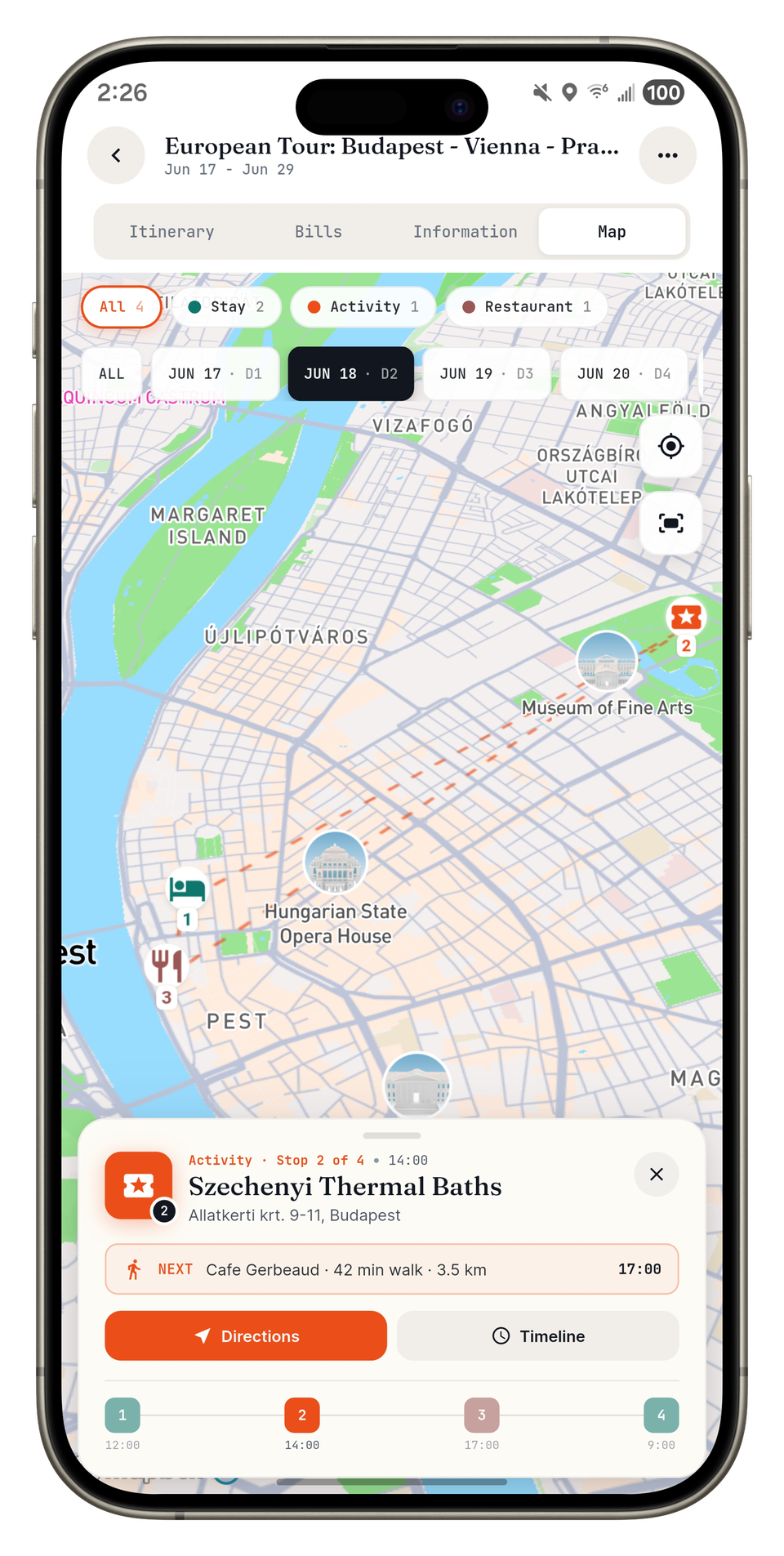
Flights, stays, that restaurant you don’t want to miss. Keep them in one itinerary. Traveling together? Vote on plans and split expenses in the app.
Build your own solo itinerary on the web. Plan with friends or Maya in the app.
Plan a solo tripSorom mobile app screens
Price Check.
Found a hotel, transfer or package you like? Send us the price and see what our travel agents can offer. Quotes and savings aren’t guaranteed.
Send your Price Check on the web after adding your profile and verifying your email.
Compare a price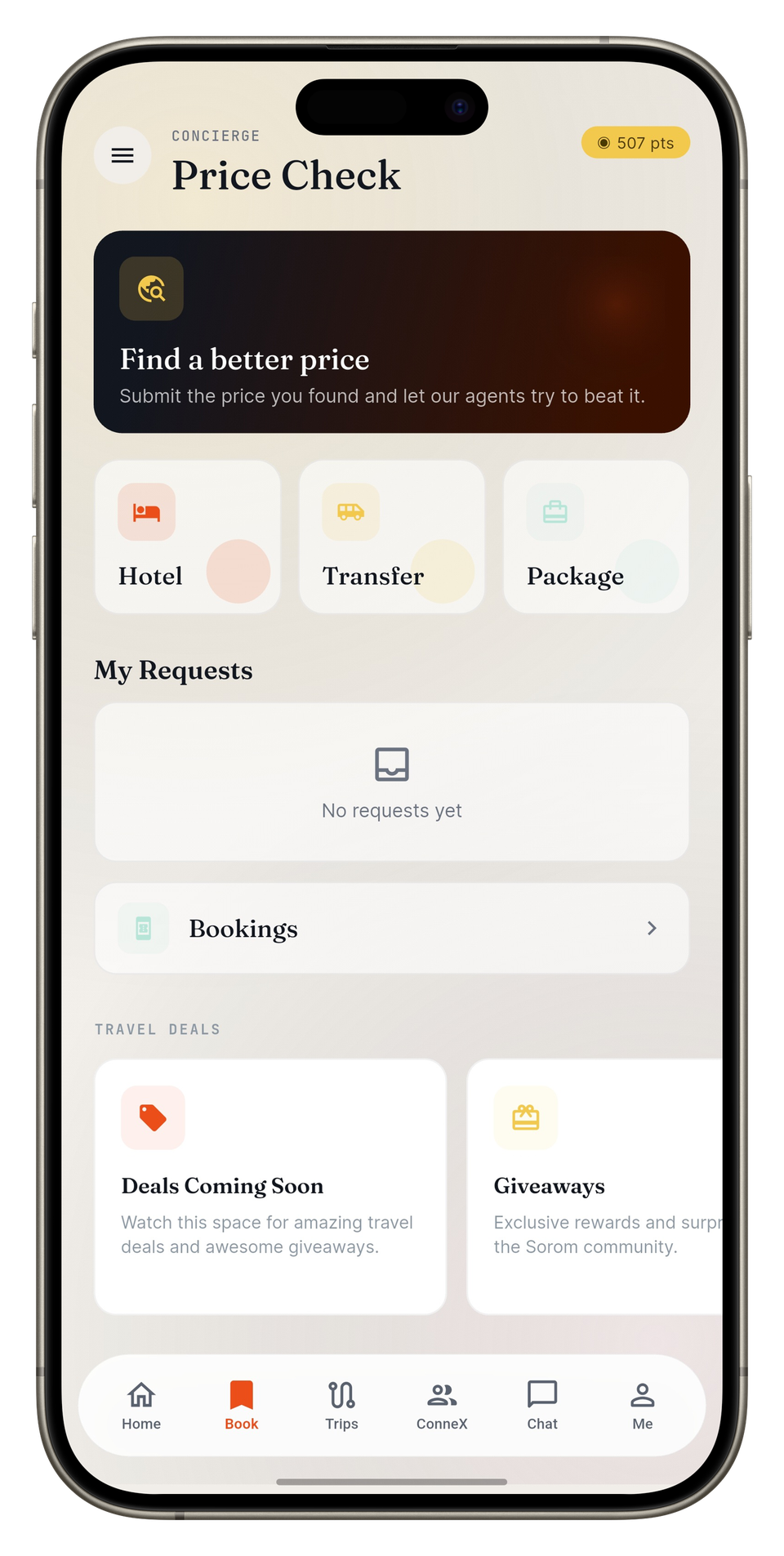
Sorom mobile app screens
Go.
Your trip’s underway. Check flight updates, see what’s next, and keep your people back home in the loop.
Flight updates and safety tools are in the app. Set up your contacts and permissions before you go.
Get the mobile app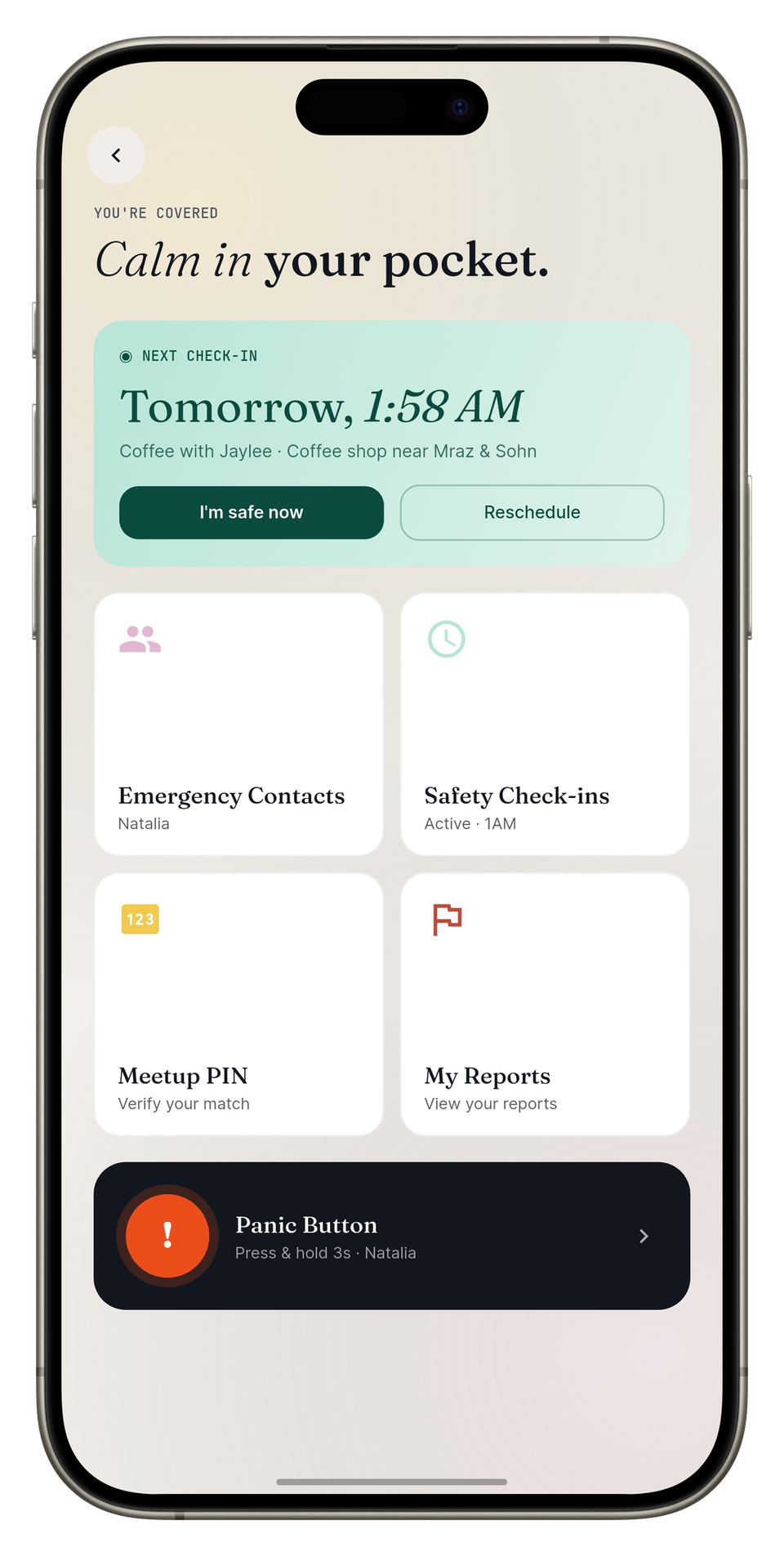
Sorom mobile app screens
Keep the trip in one place.

Travel Journals
Share a 48-hour Moment or keep a lasting journal

Group Itineraries
Agree on the plan. Keep track of who paid.

Price Check
Found a price? See what our travel agents can offer.

Flight Tracking
Check for flight delays and gate changes

Interesting Places
Find places other travelers thought were worth sharing
Find travel companions you click with.
Love a full day of exploring? Prefer a long lunch and no rush? ConneXions helps you find travelers with similar interests and travel styles.
Browse a few profiles on the web, then get the app to match, chat and make plans together.
See what you share
Compare your interests, personality and travel style.
Bring a friend
Meet one-on-one, as a pair, or with another pair.
Live ConneXions
Up for company today? Choose to show your approximate location in the app, then end your session when you’re done.
Circles
Join a coffee meetup, food walk or museum visit. Check each activity for joining details and any costs.
Example profiles and match scores, shown to give you a feel for ConneXions.
Maya AITalk through your next trip.
Tell Maya where you want to go, what you’re into and what you’d like to spend. Turn on Maya Suggestions to spot free time in your itinerary and find things to do nearby.
- Ideas for your free time
- Photos, voice or chat
- You get the final say
Suggest a museum for my Chicago trip.
How about the Art Institute of Chicago? Take a look and see if it’s your kind of stop.
Art Institute of ChicagoMuseum · ChicagoReview suggestion
You choose what gets added to your trip. Review the stop, then confirm it in the app.
Explore Maya’s features
Talk it through
Places to visit, somewhere for dinner, a route between cities. Ask Maya in your own words.
You’re in charge
See each suggested change before it’s saved to your itinerary. Keep it, change it or leave it out.
More of what you like
With your permission, Maya can use your preferences and past choices to suggest ideas that fit you.
Photo & Voice Input
Spotted somewhere you’d like to go? Share a photo or use your voice, then check the details Maya picks up.
Fewer tabs to juggle
Look up places to stay, somewhere to eat, transport and exchange rates in the same chat.
Get your bearings
Ask about routes, weather and the place you’re heading to. Maya uses the trip details you share, with your permission.
Look up the latest
Ask Maya what’s happening nearby, from local events to festivals. Double-check dates, availability and travel information with the source before you go.
Keep an eye on your budget
See how your plans add up, with color-coded budget indicators to flag when you’re getting close to your limit.
See what fits your free time
Turn on Maya Suggestions for your trip with Premium. Maya spots free time in your itinerary and looks for nearby places and things to do. Choose what to add.
Tweak it together
Too much packed into one day? Ask Maya to help adjust the route, pace or budget before you save the changes.
Leave some days open
Set your cities, transfers and must-see stops. Leave the gaps for whatever catches your eye.
Give your route a reality check
Use route estimates to spot a day that’s too packed. They’re a guide, so check travel times and important details before you go.
Trip BuilderTurn your ideas into a plan.
Pick your cities, pace and must-see stops. Trip Builder puts together a day-by-day draft you can change.
- One city or a few
- See your days on a map
- Make it yours before saving
Switch days, open a stop or swap lunch below. Build your own AI trip in the mobile app.
Chicago, at your pace.
2 days · 6 sample items
Day 1
The city, close up-
Millennium Park
Sample notesStart the day outdoors. Check park access before you go.
-
A River North bistro
Sample notesA made-up lunch stop. Swap it for the café to try the preview.
Swap this sample restaurant
-
Chicago Riverwalk
Sample notesLeave time for a riverside walk. Adjust the route for weather and accessibility.
Day 2
Art and open air-
Art Institute of Chicago
Sample notesSet aside the morning for art. Check tickets and opening times before you go.
-
A café in the Loop
Sample notesA made-up lunch stop to give you a feel for the day.
-
Lincoln Park
Sample notesLeave the afternoon open for a walk. Go at your own pace and check local conditions.
Tap a stop to see the notes.
A made-up lunch stop. Swap it for the café to try the preview.
A West Loop caféA made-up café to try instead of the bistro. No reservation is made.
Try Maya and Trip Builder in the app. You review each draft before saving; usage limits depend on your plan.
Make room for the day.
Feeling adventurous, or taking it easy? Share the group’s mood and let Maya suggest a day you can make your own.
How’s everyone feeling?
A food day? A culture day? A slow day? Everyone picks a mood to get the conversation going.
Ask Maya for a plan
The trip owner or admin can ask Maya for a draft based on everyone’s moods and the trip so far.
Review it together
Take a look together, check the route estimates, and confirm the plans you want to keep.
How often you can request a day plan or a new version depends on your plan. Turn mood reminders on or off in the app’s notification settings.
Keep your people in the loop.
Heading out on your own? Set up safety tools in the app so your trusted contacts are part of the plan.
GPS check-ins
Choose when to check in. If you miss one, the app can alert your chosen contacts.
Panic button
Send an alert to your emergency contacts, with recording if you’ve turned it on.
Meetup PIN
Use a PIN to link your meetup to a Sorom account. It’s separate from an ID check.
ID verification
Choose an optional ID and selfie check when it’s available to you.
Set these up before you travel. Features depend on your plan, permissions and connection, and can’t guarantee safety or delivery. For urgent help, contact local emergency services.
Get the appStart free. Upgrade when you need more.
Start free on the web or in the app. Compare the plans below to see what fits your next trip.
Free
No subscription required
- Manual solo itineraries on web and mobile
- Interesting Places and community discovery
- Up to 7 match requests per week in the app
- LiveConneXions meetups and chats
- Photo journals and standard packing lists
- 10 Maya trial messages, once per account
- One AI Trip Builder trial in the app
Monthly
Billed monthly
- Up to 25 match requests per week
- 20 Maya messages per day
- Flight tracking and offline itineraries
- Up to 10 booking email imports per day
- Receipt scans and expense tracking
- Advanced discovery filters
- Itinerary check-ins and emergency recording
Annual
Billed annually · about US$7.50/month
- Everything in Monthly
- Unlimited match requests
- 60 Maya messages per day
- Up to 20 booking email imports per day
- AI packing lists
- SMS safety alerts
- Identity verification and the Verified filter
App Store prices by country
| Country / currency | Monthly | Annual |
|---|---|---|
| United States · USD | US$19.99 | US$89.99 |
| United Kingdom · GBP | £12.99 | £58.99 |
| Australia · AUD | A$14.99 | A$65.00 |
| Canada · CAD | CA$20.99 | CA$95.99 |
US App Store prices · USD
App Store reference prices checked 6 September 2026. Prices can differ on Google Play and in other regions; your store shows the final price and renewal terms before purchase.
Some features need a completed profile, verification, permissions or a connection. Match limits and account restrictions apply, including Free’s weekly cap on pending and accepted matches. Alert delivery depends on your setup and connection. Contact local emergency services for urgent help. See plan conditions
We built the travel app we wished existed.
Sorom carries the invitation come join me. We’re travelers who’ve lived and worked across four continents. We built Sorom because we were tired of stitching a trip together across five apps.
Bring a friend, meet someone along the way, or keep the day to yourself. It’s your trip.

Ike
Chief Itinerary Architect
Meticulous planner and points & miles expert. Has lived and worked in 5 countries across 4 continents.
@ike_sorom
Iruobe
Chief Adventure Enthusiast
First to sign up for anything travel-related, remote, urban, jungle, or rural. Believes travel shapes how we think.
@iruobe_sorom
Lanre
Chief Culinary Explorer
Has traveled across Europe, Africa, and South America, chasing new cultures, foods, and experiences.
@lanre_sorom
Ayo
Chief Culture Curator
Born in Africa, raised in Europe, now in North America. Seeks deep-rooted traditions and authentic local connections.
@ayo_soromCommon questions about Sorom
A few things you might be wondering before you start.
What is Sorom?
Sorom is a travel planner app for the plans you make and the people you meet along the way. Keep your itinerary together, discover places and find travel companions. Start with free solo planning on desktop or tablet, or get the mobile app for group trips, Maya AI, flight updates, journals and safety tools.
Can I use Sorom without downloading the app?
Yes. On desktop or tablet, you can browse Interesting Places, preview ConneXions and make your own solo itinerary. Start with an email and password; you don’t need to fill out a profile to plan. Price Check needs a completed profile and email verification. Get the iOS or Android app for matching, chat, group trips, reservations, AI planning, journals and safety tools.
How does Sorom's ConneXions matching work?
Tell us about your interests, travel style and personality. ConneXions uses your answers to help you find potential companions in the app. Compare profiles and chat before making plans. A match score is a conversation starter, not a promise of friendship, verified identity or safety.
Is Sorom safe to use for solo travelers?
Sorom gives you tools to make a safety plan, including check-ins, alerts to trusted contacts and meetup PINs. Set up your contacts and permissions before you travel, and keep a backup way to reach someone. A meetup PIN links a meeting to an account; it isn’t an ID check. No app can guarantee safety or alert delivery. For urgent help, contact local emergency services directly.
How much does Sorom cost?
Sorom is free to download, and you can plan solo trips free on desktop or tablet. On the US App Store, Monthly costs US$19.99 a month. Annual costs US$89.99 a year, billed annually, or about US$7.50 a month. Paid plans give you more Maya messages, plus flight tracking and offline itineraries. Annual also includes SMS safety alerts, AI packing lists and identity verification. Prices vary by store and country; check your store for the final price, renewal terms and plan details.
What is Maya AI Travel Advisor?
Maya is the AI travel advisor in the Sorom mobile app. Ask for ideas, routes, places to go or events happening nearby. With Premium, you can turn on Maya Suggestions for an active trip. While you’re using the app, it spots free time in your itinerary and suggests nearby places and things to do, using your location with your permission. You review and confirm what gets added. Double-check dates, availability and important travel details with the source. Messages and trip drafts have limits that depend on your plan; AI planning isn’t available on the web.
What is Price Check?
Found a hotel, transfer or package price you’d like us to look at? Send it to our travel agents and compare any quotes they return. A lower price isn’t guaranteed, so check the total, what’s included and the cancellation terms. You can submit on the web after completing your profile and verifying your email. Finish the reservation in the app, where plan or points requirements apply.
What are Live ConneXions?
Live ConneXions lets you show your approximate location in the app when you’re open to meeting people. You choose to start a session and can end it when you’re done. Check its duration and visibility settings first. Approximate doesn’t mean anonymous: your photos, profile or messages may reveal more. Blocking can’t remove saved copies or stop someone using another account.
What are Interesting Places?
Places other travelers thought were worth sharing, from cafés to viewpoints and little detours. We review submissions before they’re published. Browse on the web or in the app, and use the app to contribute a place or add photos. Check current access and local conditions before heading out. Rewards, where offered, follow the program’s terms.
What app can I use to find travel companions or meet fellow travelers?
Try Sorom’s ConneXions in the mobile app to find travelers with similar interests and travel plans. Explore solo or group profiles, or see who’s open to meeting through Live ConneXions. Chat first, agree on the plan and choose a public place to meet. Who’s available will depend on where and when you’re traveling.
Your next trip starts with a plan.
Try our free itinerary maker on desktop or tablet. All you need is an email and password to start planning your own solo trip.


Build a day-by-day itinerary · Find interesting places · Preview the travel community