Travel Journals

A travel journal app that keeps the story with the trip

Keep photo journals, short-lived Moments and travel stamps alongside your itineraries in the Sorom mobile app. Review current media limits and feature eligibility on iOS or Android.

Make room for the story as well as the plan

A paper notebook, photo album or travel app can each help you remember a trip. Choose a method that feels easy enough to use while you are away.

Linking an entry to the place, date and itinerary can help preserve context that a standalone photo may miss.

A trip journal app fixes the structure problem only if it knows about the trip. That is the idea behind Sorom journals. Each entry can link to the itinerary you followed, so the day you write about is already there: the place, the date, and the plan.
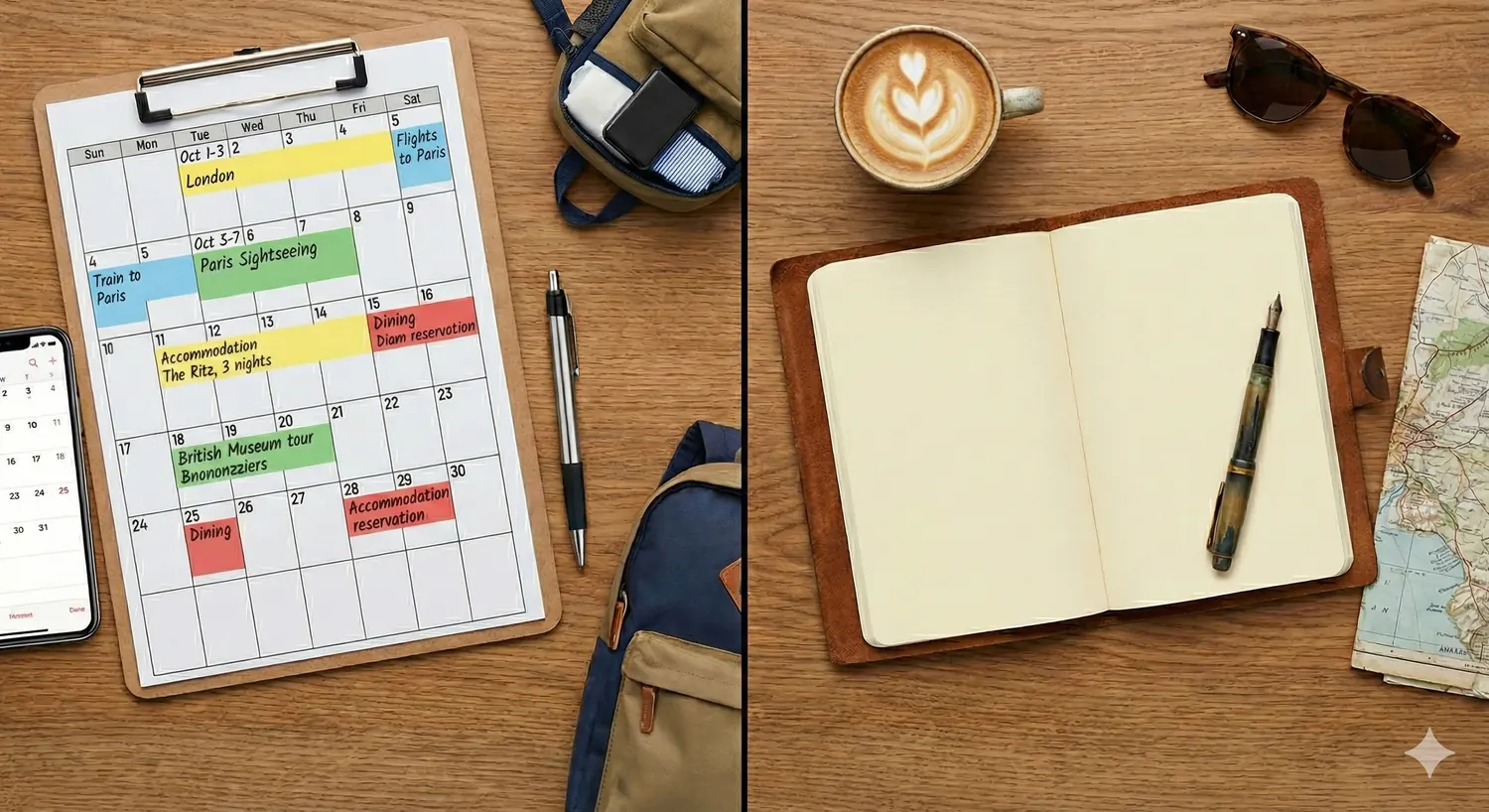

A color-coded trip calendar on a clipboard next to a blank paper travel journal
The plan gets all the structure. The journal gets a blank page.
Journals

What a Sorom travel journal is

One entry per experience, saved to the trip it belongs to. Here is what each one holds.

Photos and supported video uploads

Add permitted photos and, where your plan allows it, videos to an entry. Check the mobile app for current media limits and upload requirements.

A title, a location, and tags

Name the entry and tag where it happened, using your current GPS position or a place search. Add tags so you can find it again, and mention the travel companions who were there. Location tags also appear on your trip map.

Trip highlights

Call out the moments that mattered, from the meal to the wrong turn that led somewhere better. Highlights make an entry easy to skim months later, when you want the feeling back without rereading everything.

Linked to the itinerary you followed

Link a journal entry to a trip itinerary so the story and plan can be read together. Retention rules and exceptions follow the current account policies; keep a separate copy of anything you need to preserve.

Comments on or off

Decide whether fellow travelers can comment on an entry. Turn comments off for a quieter record, or leave them on when you want the conversation.

Journals are written in the Sorom app for iOS and Android. If you plan on a laptop, the itinerary maker and the web app cover the planning side, and the entries you write on the road link straight to those trips.

Moments: short-lived updates

Not everything deserves a permanent entry. The coffee that was better than expected, the train that finally arrived, the view from the hostel roof. Those belong in a Moment.

A Moment is designed to expire from its normal display after the current expiry period. Expiry does not remove screenshots, copies or information already shared elsewhere. Review the audience before posting.

Moments can be shared straight into chats too. It is the easiest way to show a travel companion what you found without writing a full entry.

Where journals and Moments show up

Public journal entries can appear in the community feed. Review the people, locations and private information in an entry before sharing it.

Your passport of stamps

Your travel passport groups supported destination stamps by country. It is a personal record of travel activity, not independent proof of a visit or identity.

Stamps offer another way to look back over a journey. For example, our team’s six-stop Asia travel story connects several destinations into one route.

From stamp to next trip

Save a place you want to revisit and add it to an appropriate itinerary item. Contributions to Interesting Places are submitted and reviewed through the mobile app.

Privacy

Who sees it: public, followers, or private

Choose the audience available for each journal entry or Moment and review it before posting. Changing visibility later cannot recall copies that other people have already made.

Public

Anyone on Sorom can read the entry. Public journals are what the feed is built from, and the way other travelers discover your route and your finds.

Followers

Only people who follow you see it. Good for the friends and travel companions who want the full story without the whole community reading along.

Private

Private entries are restricted to your account through the app’s access controls. Service processing and retention still follow the Privacy Policy.

Use the available journal controls to change visibility or comments. Review what the controls cover; previously copied or externally shared information cannot be recalled.

The Alternatives

Journal vs the camera roll vs social media

Choose the format that helps you keep the context you want.

The camera roll

A camera roll can preserve photos and their available dates or location data. Albums and captions can help organize them; check what information you share when sending a photo.

Social media

Social platforms can help share a trip with an audience. Their visibility, feed and retention settings differ, so choose the details you want to publish.

A Sorom journal

Photos with a title, a place, and a few lines written while it is fresh. Linked to the itinerary, so the context is automatic. Private when you want it, shared when you choose. Written for the person who will read it later: you.

Think of it as a travel diary app that lives inside your trip planner, rather than a social network with a diary bolted on. Trips, journals, and the people you travel with all stay in one place. Start at the Sorom home page for the full picture.

Writing prompts that actually get used

The trick is to make the entry small. A title, one photo, and an answer to one question is enough. Try these:

  • What did today smell like: a market, rain, bread or something unexpected?
  • What went wrong, and what did it lead to?
  • One sentence someone said to me today.
  • The one thing I would tell a friend to do here.
  • What I ate, and where I was sitting when I ate it.
  • What I expected, and what I actually found.
  • One thing I would skip next time.

Answer one per day and you will have a journal by the end of the trip. Answer two and you will have a story worth reading back on the flight home.

Traveler lying on a rocky hillside writing in a notebook, with mountains behind
One question a day is enough.
FAQ

Travel journal app: common questions

Is Sorom a free travel journal app?

Sorom is free to download. Check the current mobile app for journal, Moment and media-upload eligibility, including any video subscription requirement. The web app supports planning and previews; journals and Moments are created on mobile.

What is the difference between a journal and a Moment?

A journal keeps a more lasting account with supported media, a title, location and optional trip link. A Moment is a short-lived update that expires from its normal display. Current media and expiry limits appear in the mobile app; external copies may remain.

Who can see my travel journal?

Review the audience selected for each entry: public, followers or private, where available. The app’s controls govern normal access, while service processing follows the Privacy Policy. Visibility changes cannot remove copies people have already saved.

Can I write journals in the Sorom web app?

No. Journals and Moments are created in the Sorom app for iOS and Android. The web app, which signs in with email and password, covers Interesting Places, Price Check requests, manual solo itineraries, ConneXions previews, and your profile. Entries you write in the app can link to any trip, including trips planned on the web.

Does a journal keep my trip from being deleted?

Some linked-content exceptions may affect trip retention, but they are subject to current policies. Review the applicable terms and retain a separate copy of important travel records; linking a journal is not a promise of permanent storage.

Keep the story with the trip

Download Sorom free and write the first entry before the trip fades. Available in 10 languages on iOS and Android.

The desktop and tablet web app covers manual solo planning, places, and ConneXions previews. Journals and Moments are written in the mobile app.